How We Built a Data Pipeline: From Raw 2.8M Messy Tweets to Training Data
How We Built a Data Pipeline for a Customer Support Agent

I'm Shubham (@shubhamsinghbundela), I'm a Software Engineer, a Full-stack developer, a tech enthusiast, and a technical writer here on @Hashnode. I have a strong zeal to share my acquired knowledge and I am also willing to learn from others.
The Problem
We wanted to build a customer support agent powered by real conversation data. We found a dataset of 2.8 million Twitter support conversations on Kaggle. Sounds perfect, right?
Not exactly.
What's Actually in This Dataset?
The Customer Support on Twitter dataset is a collection of roughly 2.8 million real tweets — public support conversations between customers and brands. For example:
Customer → @Nike: "My shoes haven't arrived yet. Where is my order?" Nike → Customer: "Sorry about that! Please DM us your order number." Customer → Nike: "Sure, I've sent it."
There are thousands of exchanges like this across many different brands.
What "Messy" Actually Means Here
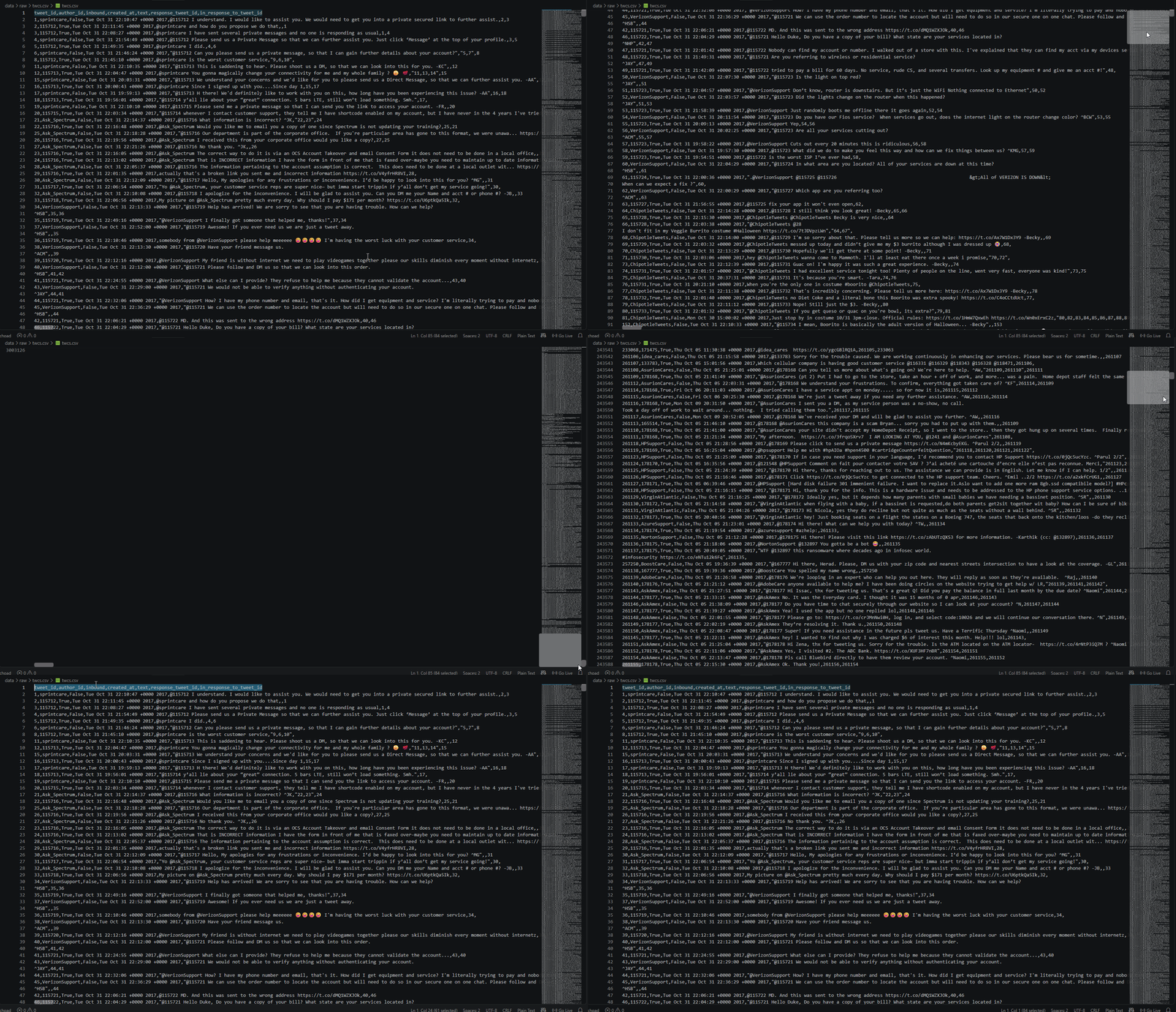
Since this data came straight from real Twitter activity, it isn't neatly organized. There's no clean "conversation" column — just individual tweets, each one only aware of the tweet it replied to.
And a single customer issue is rarely one tweet — it's usually a chain:
Customer tweet
      ↓
Brand reply
      ↓
Customer reply
      ↓
Brand reply
So the dataset is really ~2.8 million individual messages scattered across many different brand-customer exchanges — not 2.8 million conversations. Our actual job: turn this messy historical data into structured knowledge that a customer-support AI agent can learn from.
To train an agent that actually works, we needed clean, structured conversation threads — not a pile of individual tweets.
So we built a pipeline.
Functional Requirements: What We Needed
Input
2.8 million raw tweets from Twitter support channels
Messy format: individual tweets, not grouped conversations
Missing metadata, duplicates, and noise
Output
Clean conversation threads
Properly grouped and deduplicated
Valid, structured data ready for training
Step 1: Download the dataset
Head to kaggle.com and sign up (Google login works fine)
Search for "Customer Support on Twitter" by thoughtvector
Download this
twcs.csv(516MB) from Kaggle to your machine.Put the downloaded
twcs.csvinto:customer-support-agent/data/raw/twcs.csv
Understanding What's Inside the CSV
Before writing a single line of code, it's worth actually looking at what this data contains.
At its core, the dataset is a giant table of tweets — roughly 2.8 million rows, each one a single message. Every row has seven columns, but only a handful matter for reconstructing conversations:
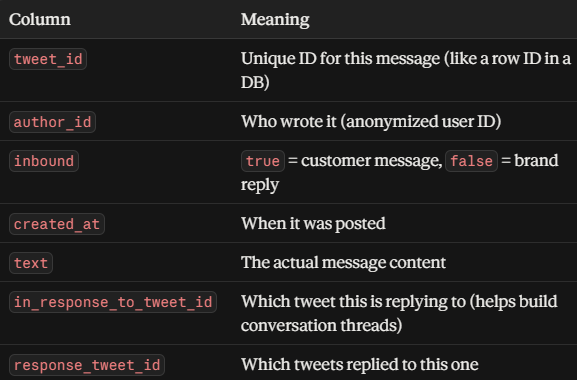
Those last two columns are the whole game. They're the only thing linking one tweet to another.
Example from the dataset:
tweet_id: 119237
author_id: 105837
inbound: true
text: "@AppleSupport hi #apple, I've a concern about the latest ios is too slow on #iphone6"
in_response_to_tweet_id: (none, first message)
tweet_id: 119248
author_id: AppleSupport
inbound: false
text: "@105837 We can help. Which version of iOS are you on? You can find that in Settings > General..."
in_response_to_tweet_id: 119237