How I Solved Preemptive Priority Task Scheduler in JavaScript
I'm Shubham (@shubhamsinghbundela), I'm a Software Engineer, a Full-stack developer, a tech enthusiast, and a technical writer here on @Hashnode. I have a strong zeal to share my acquired knowledge and I am also willing to learn from others.
When I first saw this problem, it looked like something straight out of an Operating System.
But implementing it in JavaScript?
That’s where things get interesting.
What is Preemptive Scheduling?
Preemptive scheduling is an OS technique where:
A high-priority task can interrupt a currently running low-priority task
CPU automatically switches execution
In simple words:
“Important work gets preference immediately.”
But here’s the catch in JavaScript
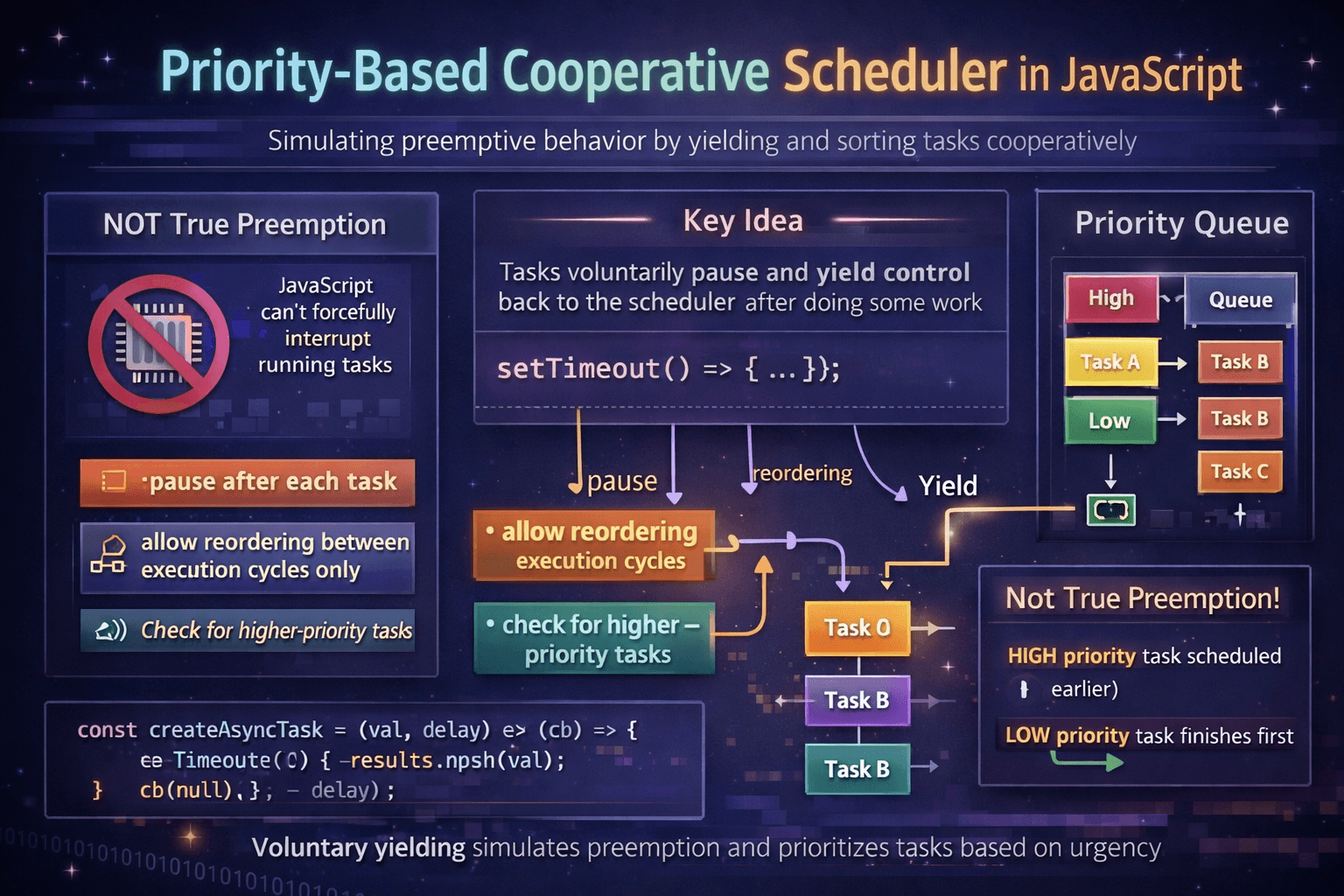
JavaScript does NOT support true preemption
What is “true preemption”?
A running task can be forcefully stopped anytime
CPU takes control and switches tasks
This happens in Operating Systems
In JavaScript
If a function starts running…
Nothing can stop it until it finishes
That means:
We cannot interrupt execution midway
So how do we solve this?
Since JavaScript cannot interrupt a running task, we design tasks in such a way that they pause themselves after some work and give control back to the scheduler.
This allows the system to check if any higher-priority task has arrived before continuing.
We achieve this using:
setTimeoutawait(async tasks)
Problem Statement
We need to:
Execute tasks based on priority
Higher priority runs first
Allow new high-priority tasks to jump ahead
Since no true preemption → tasks must yield control
My Approach
I built a Scheduler class with:
Priority Queue → to store tasks
Sorting mechanism → highest priority first
Execution loop → runs tasks one by one
Yield mechanism → allows re-evaluation after each task
Implementation
class Scheduler {
  constructor() {
    this.queue = [];
    this.timer = null;
    this.running = false;
  }

  schedule(task, priority = 0) {
    this.queue.push({ task, priority });

    // maintain priority order
    this.queue.sort((a, b) => b.priority - a.priority);

    // start scheduler only if not already running
    if (!this.running) {
      this.running = true;
      // Don’t continue immediately
      // Pause here and come back later
      this.timer = setTimeout(() => this.run(), 0);
    }
  }

  run(onAllFinished) {
    if (this.queue.length === 0) {
      this.running = false;
      this.timer = null;
      return onAllFinished && onAllFinished(null);
    }

    const { task } = this.queue.shift();

    task((err) => {
      if (err) {
        this.running = false;
        this.timer = null;
        return onAllFinished && onAllFinished(err);
      }

      // schedule next task instead of running immediately
      this.timer = setTimeout(() => this.run(onAllFinished), 0);
    });
  }
}

const scheduler = new Scheduler();
const results = [];

const createTask = (val) => (cb) => {
  results.push(val);
  cb(null);
};

scheduler.schedule(createTask("low"), 0);
scheduler.schedule(createTask("high"), 10);
scheduler.schedule(createTask("medium"), 5);

scheduler.run((err) => {
  console.log(results);
});
What’s Actually Happening Behind the Scenes?
Let’s understand the key idea:
1. Tasks are sorted by priority
this.queue.sort((a, b) => b.priority - a.priority);
Highest priority always comes first
2. Only ONE task runs at a time
const { task } = this.queue.shift();
This keeps execution controlled
3. After every task → we pause
setTimeout(() => this.run(), 0);
This is the most important design decision
Instead of running tasks continuously:
We stop after each task
Give control back to JavaScript runtime
Then resume later
Why this works like preemption
Let’s say:
A low-priority task runs
Before next execution, a high-priority task is added
Because we paused:
Scheduler gets a chance to re-check the queue
High-priority task moves to the top
It runs next
Final Thought
This problem is not about setTimeout.
It’s about:
Understanding how JavaScript execution works
Designing systems within its limitations